
Captains and Team Managers are super-heroes who sometimes have to deal with ‘stuff’ that happens on match day – such a players who can’t play because they are sick, forgetful or lost en-route. You may need to add a player to your team, remove players who haven’t played or make someone else Captain for a match at the last minute.
Adding a player to your team
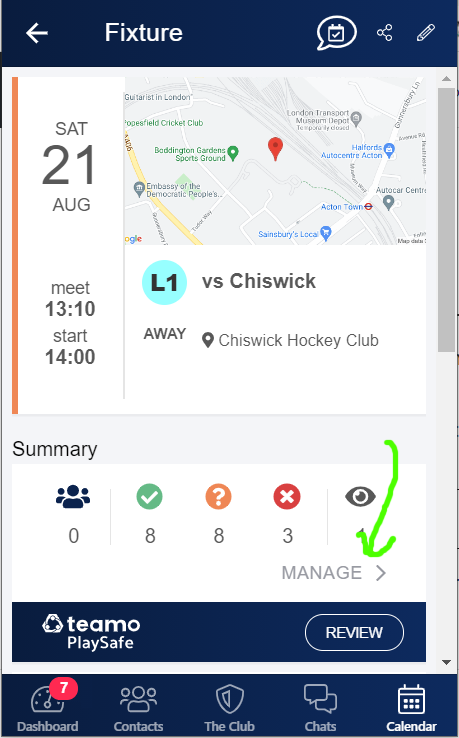
Find the fixture on your phone using the Calendar icon. Tap on the fixture and then scroll down and tap on the Manage link. (If you can’t see this link, and you are the temporary Captain or Manager for this fixture, you will need to get the normal Captain/Manager of the team to change your role – see further down the page for how to do this).
If the individual is listed in the Squad for the fixture, you can click on their name and move them to the Team Sheet. If the individual isn’t part of the squad, you can invite them to the team by clicking on the head and shoulders icon in the top right corner of the Team Sheet/Squad page. Clicking on this icon gives a list of names to search – but beware, the list can sometimes take a little while to load.
If the person that you want to add to your team hasn’t registered previously on Teamo, you will need to invite them to register with ACHC. In your Contacts list, click on the add a person icon (head and shoulders with a plus).

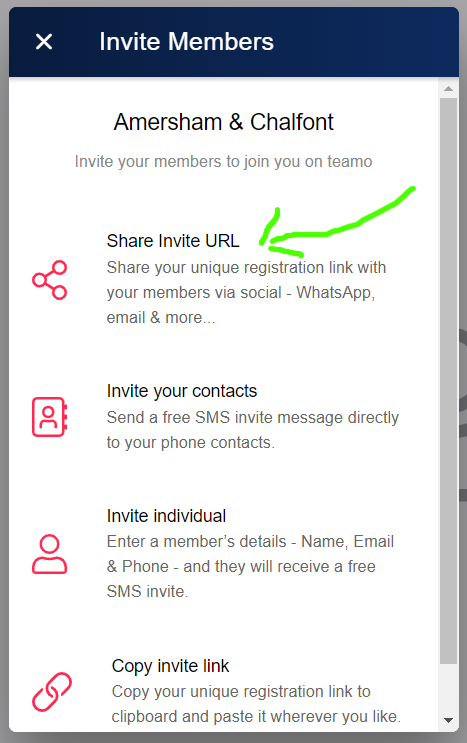
The simplest way is to select the ‘Share Invite URL’ option which will give you the option to share the ACHC registration URL via lots of different ways:
Removing someone who now can’t play
Click Manage on the fixture, select the Team Sheet, click on the player’s name and select the option to remove the player
Delegating someone as Captain for the fixture
Click Manage on the fixture and select the Team Sheet to show the list of players. Click on the individual you would like to make Captain and choose ‘Edit Event role’ from the list of options that pops up. In the ‘Manage Event’ column, tap on the space for Captain and click ‘Save Changes’.
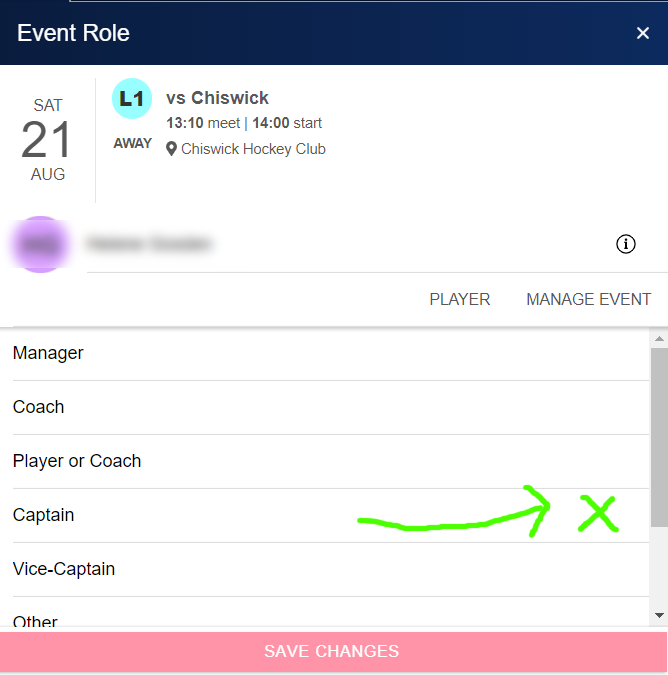
The player who is delegated as Captain can edit the fixture, select and apply match fees and view contact and medical details of all players in the team.